
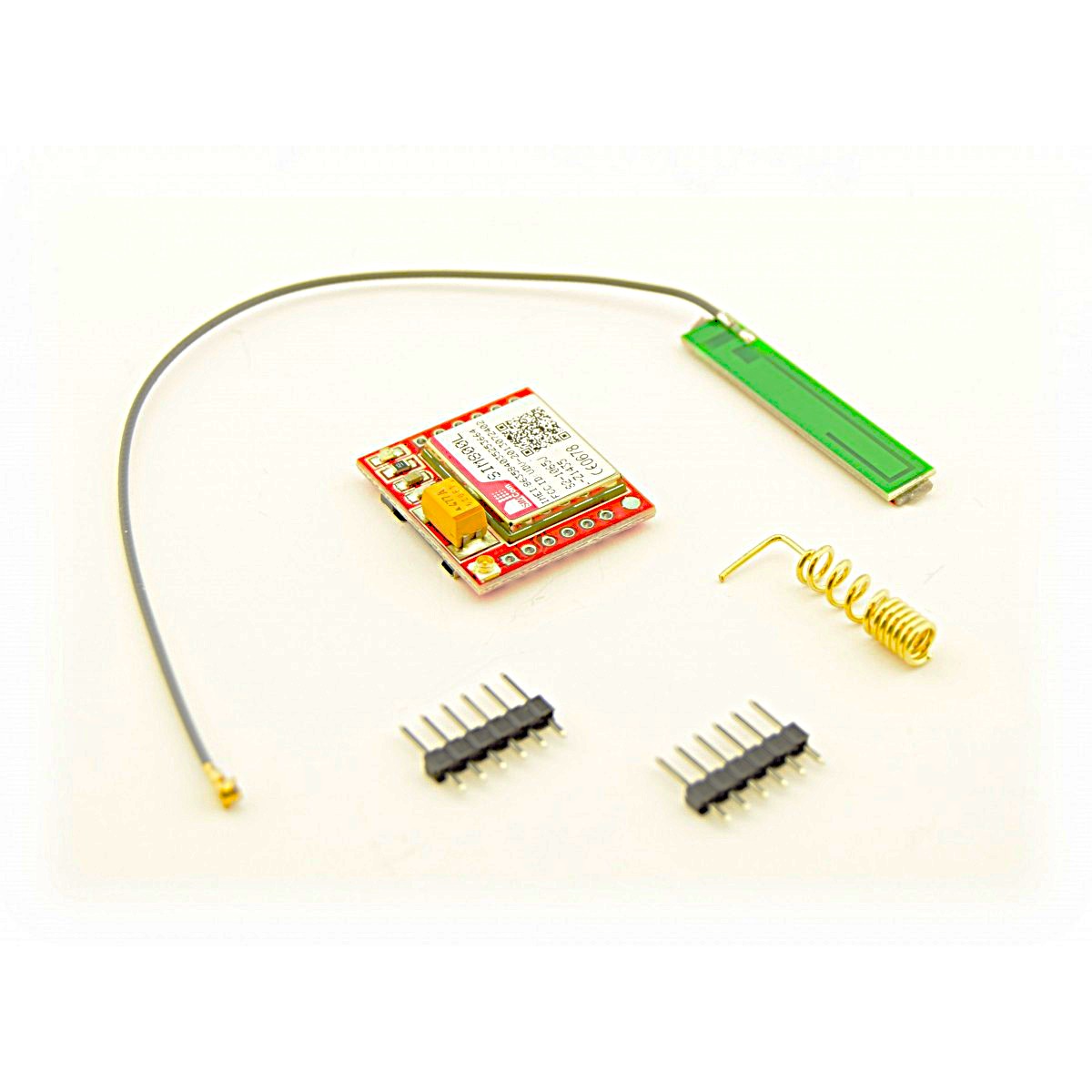
SIM800L Micro SIM GSM / GPRS Module Board with Antenna
R169,95
11 in stock
Description
Key Features & Specifications
-
Network / Frequency: Quad-Band GSM/GPRS (850 / 900 / 1800 / 1900 MHz) — works globally on standard 2G cellular networks.
-
Operating Voltage: 3.4V to 4.4V DC (Nominal: 3.7V–4.0V).
-
Important: Do NOT power it directly with 5V or 3.3V from an Arduino or ESP32 pin, as it can damage the board or cause power dropouts.
-
-
Current Consumption:
-
Idle / Sleep: ~1 mA – 10 mA
-
Transmit Peak / Burst Current: Up to 2A during network signal bursts.
-
-
SIM Card Slot: Micro-SIM slot.
-
Interface / Communication: UART (TTL Serial) at logic levels between 2.8V and 5V (use a logic level converter or resistor voltage divider when interfacing with 5V microcontrollers like an Arduino Uno).
-
Core Functions: SMS (Send/Receive), Voice Calls, GPRS Data transmission (HTTP/MQTT/TCP/UDP).
Pinout Reference
| Pin Name | Function | Description |
| VCC | Power Supply Input | Must be between 3.7V – 4.2V capable of providing up to 2A burst current (e.g., via a Li-ion battery or a high-current buck regulator). |
| GND | Ground | Common Ground (must connect to micro-controller GND). |
| TXD | Transmit | Transmit data pin (Connect to MCU RX). |
| RXD | Receive | Receive data pin (Connect to MCU TX through a resistor/divider if MCU is 5V). |
| RST | Reset | Active Low reset pin. |
| NET | Antenna | Connection for the included helical coil antenna or IPEX coaxial antenna cable. |
| RING / DTR | Interrupts | Ring indicator / sleep mode trigger pins. |
Important Usage Tips & Troubleshooting
-
Power Supply Requirements:
-
Power stability is the #1 issue with the SIM800L. If the module repeatedly resets or fails to connect to the network (LED blinks rapidly non-stop), it is almost always due to an inadequate power source.
-
A single 18650 Li-ion battery (3.7V) or a 5V power supply stepped down using an LM2596 or Buck converter set to 4.0V works best. Adding a 1000 µF capacitor across
VCCandGNDnear the module helps smooth out power spikes.
-
-
Status LED Indicators:
-
Blinking every 1 second: Searching for network / No signal.
-
Blinking every 3 seconds: Connected to cellular network successfully.
-
Blinking fast (800ms): GPRS network connected.
-
-
2G Network Availability:
-
Ensure cellular carriers in your region still support 2G (GSM) connectivity, as several global carriers have sunsetted or are phasing out 2G in favor of LTE / 4G / 5G.
-
Basic AT Commands for Testing
Connect via Serial Terminal at 9600 baud:
AT              --> Returns "OK" (Tests communication)
AT+CPIN?        --> Returns "+CPIN: READY" (Checks if SIM card is detected)
AT+CSQ          --> Returns signal quality (e.g., +CSQ: 18, 99)
AT+CREG?        --> Returns "+CREG: 0,1" or "+C


Reviews
There are no reviews yet.